
Note
Go to the end to download the full example code.
Post-process an optimization dataset#
Optimization problems can be exported as an OptimizationDataset, which can
later be stored as different file types, such as csv. One might later want to
recover and visualize the stored data. Fortunately, GEMSEO allows one to use different
post-processing algorithms with an OptimizationDataset as input.
In this example, we demonstrate how to use an OptimizationDataset for
post-processing. The data used are from an MDO scenario on the
Power2 problem. The data has been saved in an HDF5 file.
The post-processing algorithm used for this example is the OptHistoryView.
from __future__ import annotations

import numpy as np

from gemseo import execute_post
from gemseo.algos.constraint_tolerances import ConstraintTolerances
from gemseo.algos.design_space import DesignSpace
from gemseo.algos.optimization_problem import OptimizationProblem
from gemseo.datasets.optimization_dataset import OptimizationDataset
from gemseo.datasets.optimization_metadata import OptimizationMetadata
from gemseo.settings.post import OptHistoryView_Settings
First we will recover the use case data from an HDF5 file, and convert it into an
OptimizationProblem.
problem = OptimizationProblem.from_hdf("power2_opt_pb.h5")
INFO - 16:25:39: Importing the optimization problem from the file power2_opt_pb.h5
Now the problem gets converted into an OptimizationDataset
dataset = problem.to_dataset(group_functions=True)
As you can see, the argument group_functions must be True in order to use the
post-processing, otherwise, the different functions won't be grouped to their
corresponding optimization function (objective, inequality constraints, equality
constraints, observables).
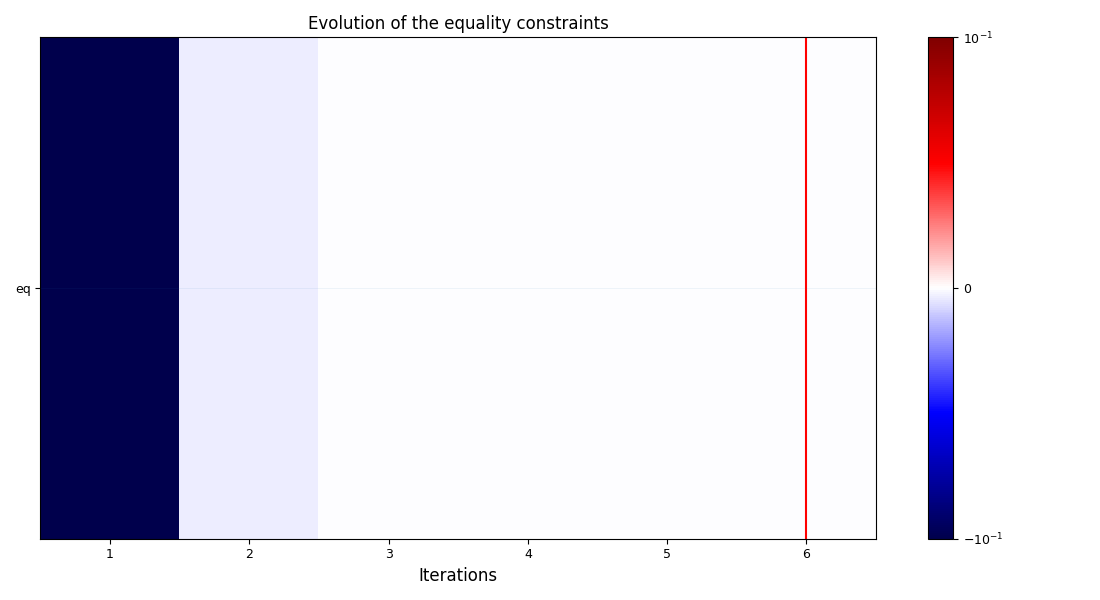
Now we can execute the post-processing as usual. The only difference is that, instead
of passing a BaseScenario or an HDF5 file as an argument, we pass the
OptimizationDataset.
execute_post(
    dataset,
    settings_model=OptHistoryView_Settings(
        save=False,
        show=True,
    ),
)
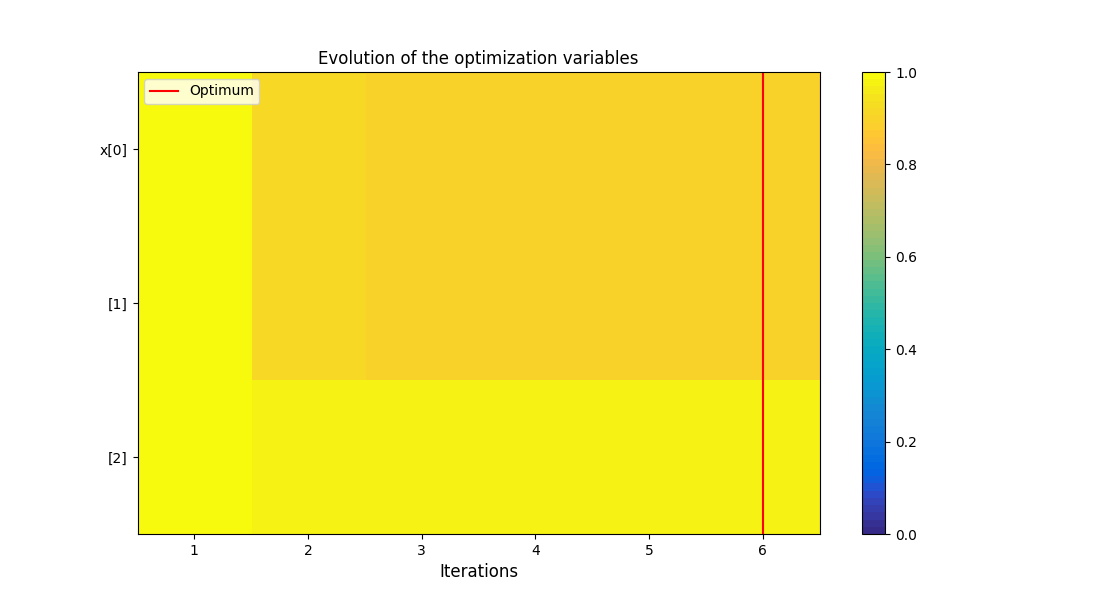
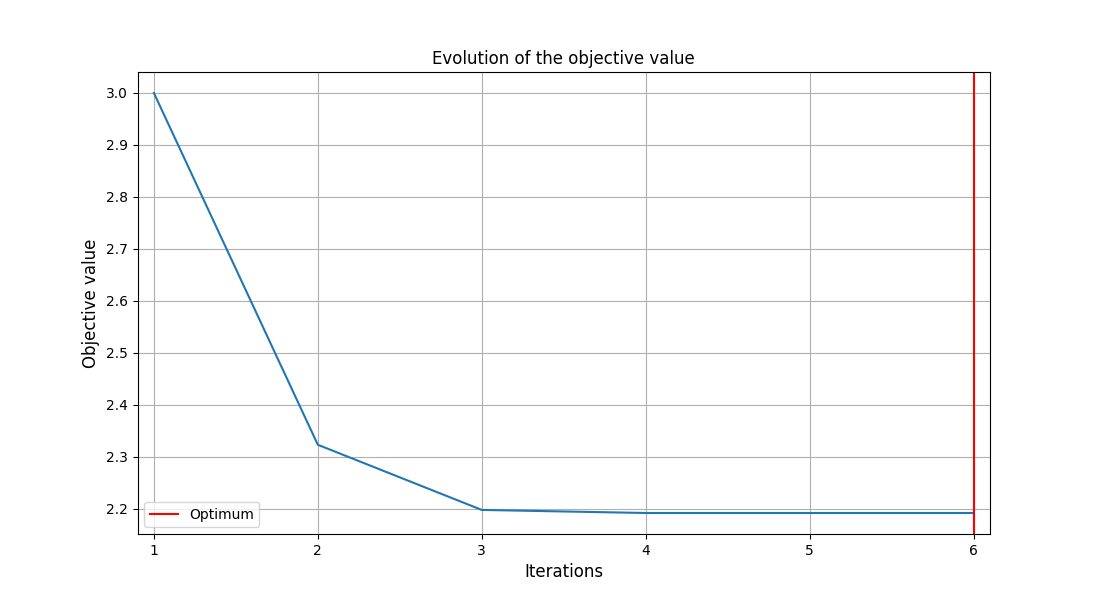
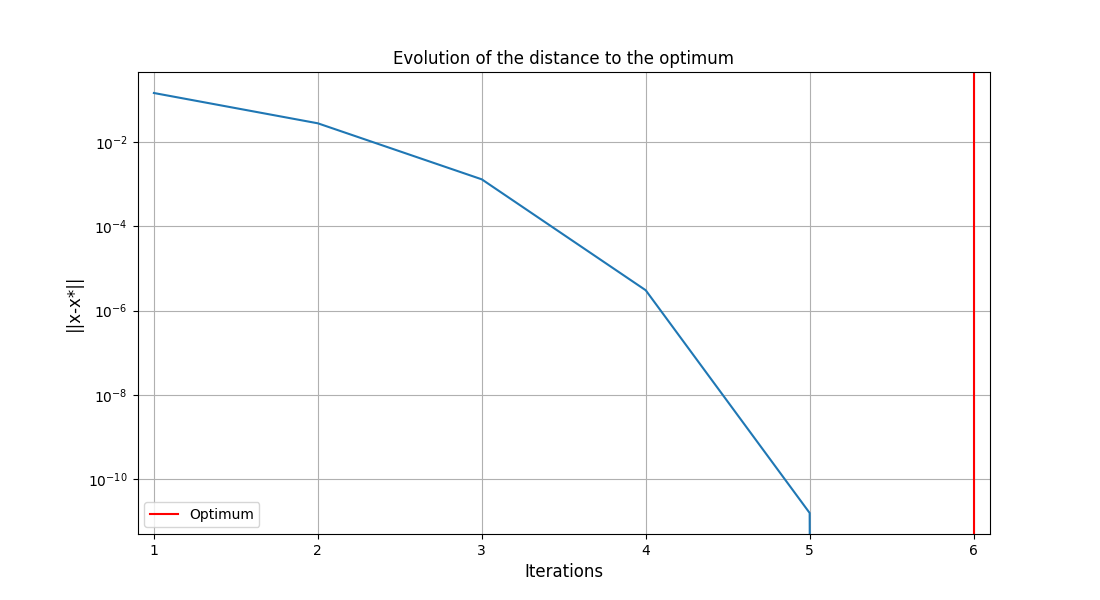
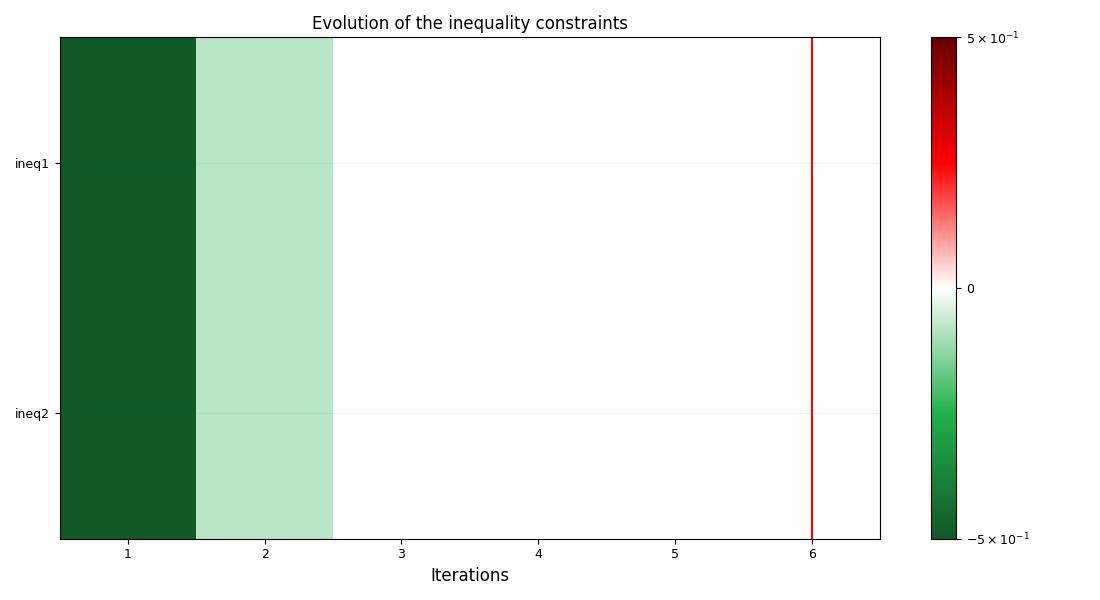
<gemseo.post.opt_history_view.OptHistoryView object at 0x72a4f2262d50>
The advantage of converting an OptimizationProblem to an
OptimizationDataset is that there's no manipulation to be done to
post-process. As you can tell, there's no significant advantage with doing this
instead of post-processing the problem directly.
The advantage of being able to use an OptimizationDataset is that it allows
to use GEMSEO post-processing algorithms using any data. To illustrate this, we recover
the data from a csv file instead of an HDF5 file.
First, we will save the previous data in a csv file.
dataset.to_csv("results.csv")
We can build directly the OptimizationDataset from the csv file.
recovered_dataset = OptimizationDataset.from_csv("results.csv")

print(recovered_dataset.summary)
OptimizationDataset
   Class: OptimizationDataset
   Number of entries: 6
   Number of variable identifiers: 5
   Variables names and sizes by group:
      designs: x (3)
      equality_constraints: eq (1)
      inequality_constraints: ineq1 (1) and ineq2 (1)
      objectives: pow2 (1)
   Number of dimensions (total = 7) by group:
      designs: 3
      equality_constraints: 1
      inequality_constraints: 2
      objectives: 1
Note
Since the data recovered from the csv comes from an existing
OptimizationDataset, the variables are already grouped. Details on how to
group the variables in case of importing ungrouped data can be found
here.
In order to use an OptimizationDataset we must attribute some optimization
metadata to the OptimizationDataset. For this we use the
OptimizationMetadata and store it in the attribute misc of the
dataset under the key "optimization_metadata".
Some optimization metadata can be recovered from the dataset itself, but overall,
it requires to have knowledge of the problem.
The field output_names_to_constraint_names makes reference to the cases where the names of functions were changes for a reason or another (like an offset for example). The argument takes the shape of a dictionary where the keys are the original constraint names and the value a list of associated names. For the use case at hand, there is no name change so the associated constraint names are the names themselves.
output_names_to_constraint_names = {}
for constraint_name in (
    recovered_dataset.inequality_constraint_names
    + recovered_dataset.equality_constraint_names
):
    output_names_to_constraint_names[constraint_name] = constraint_name
The optimum iteration can be retrieved from the dataset by looking for the minimum value of the objective function.
optimum_iteration = recovered_dataset.objective_dataset.idxmin(axis=0).values[0]
The tolerances field is an instance of the ConstraintTolerances model.
Which must be instantiated with the corresponding values. In this case the default
values are used.
tolerances = ConstraintTolerances()
The last important data to be determined is the point feasibility. This can be predetermined and stored in the csv file. In this case, we determine the feasibility using the tolerances to create a mask.
equality_feasible_mask = (
    np.abs(recovered_dataset.equality_constraint_dataset) <= tolerances.equality
).all(axis=1)

inequality_feasible_mask = (
    np.abs(recovered_dataset.inequality_constraint_dataset) <= tolerances.inequality
).all(axis=1)

feasible_iterations = recovered_dataset.index[
    equality_feasible_mask & inequality_feasible_mask
].tolist()
With all the optimization metadata ready, we can create the
OptimizationMetadata and attribute it to the dataset.
opt_metadata = OptimizationMetadata(
    objective_name="pow2",
    standardized_objective_name="pow2",
    minimize_objective=True,
    use_standardized_objective=False,  # Either True or False according to the user
    tolerances=ConstraintTolerances(),  # Add the corresponding tolerances to the pydantic model
    output_names_to_constraint_names=output_names_to_constraint_names,
    feasible_iterations=feasible_iterations,
    optimum_iteration=optimum_iteration,
)

recovered_dataset.misc["optimization_metadata"] = opt_metadata
Given that some post-processing algorithms use the input space of the problem,
attributing the input space of the problem to the dataset can be useful.
For the Power2 problem we know that the input space is \(-1.0 < x < 1.0\) where
x has 3 components and has initiated with 1.0.
input_space = DesignSpace()
input_space.add_variable("x", 3, lower_bound=-1.0, upper_bound=1.0, value=1.0)

recovered_dataset.misc["input_space"] = input_space
With all the optimization metadata gathered, we can execute the post-processing.
execute_post(
    recovered_dataset,
    settings_model=OptHistoryView_Settings(
        save=False,
        show=True,
    ),
)
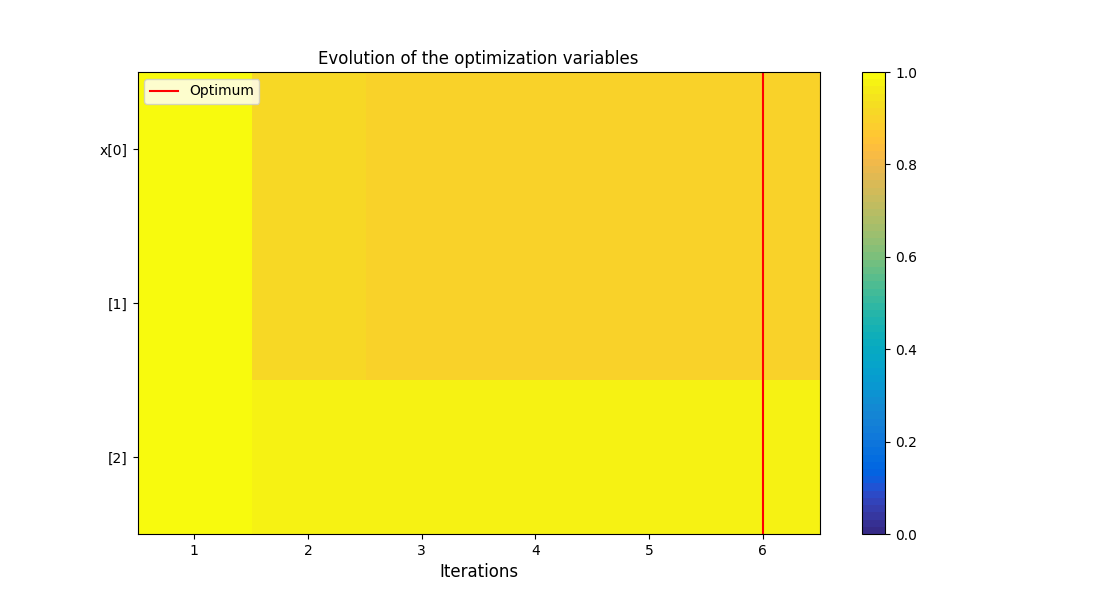
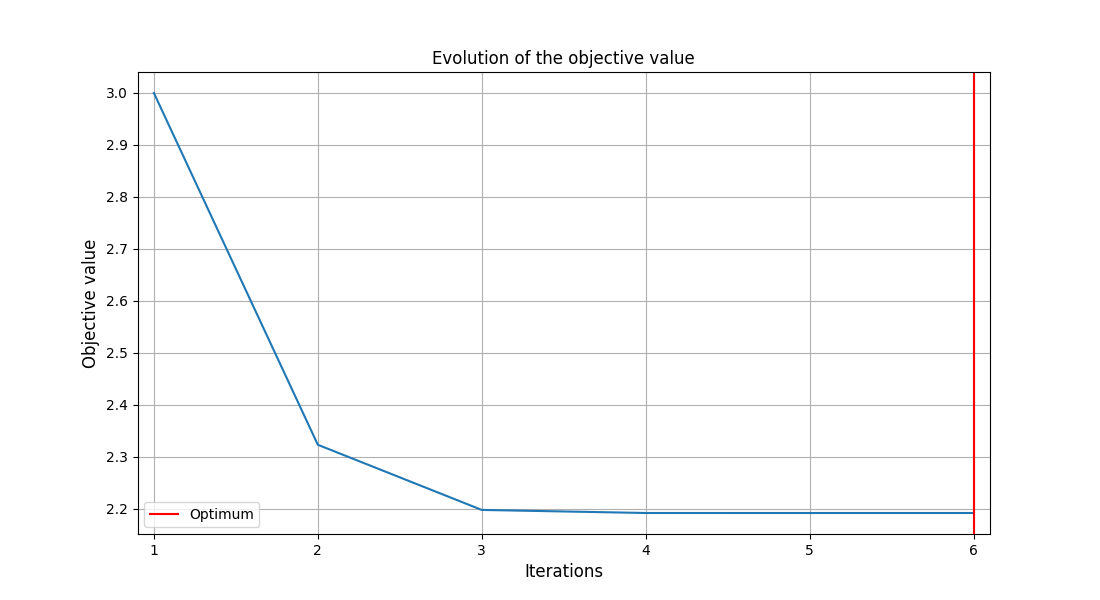
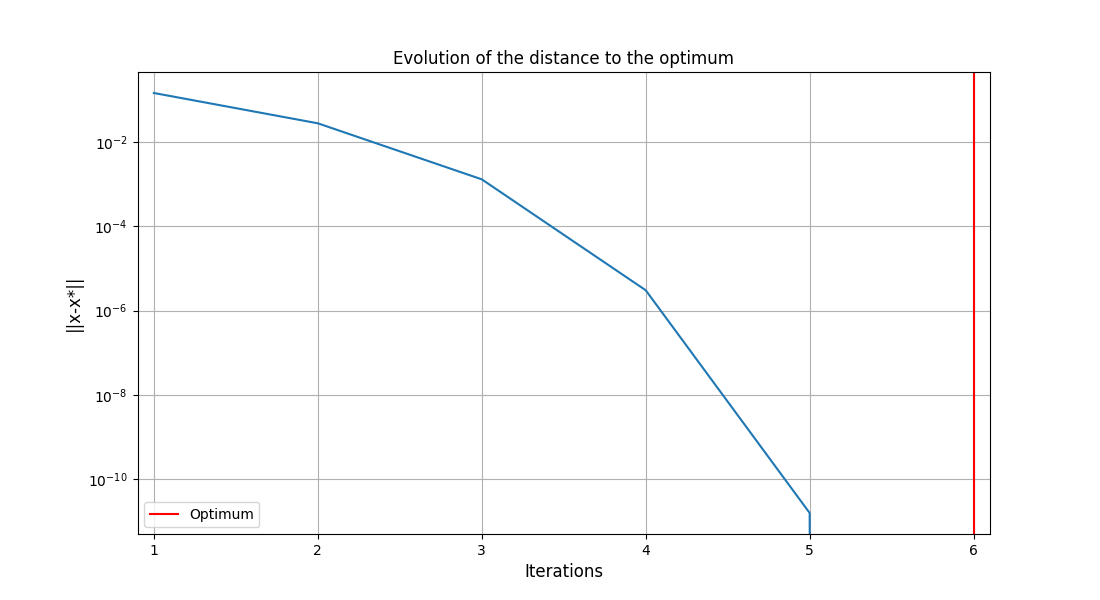
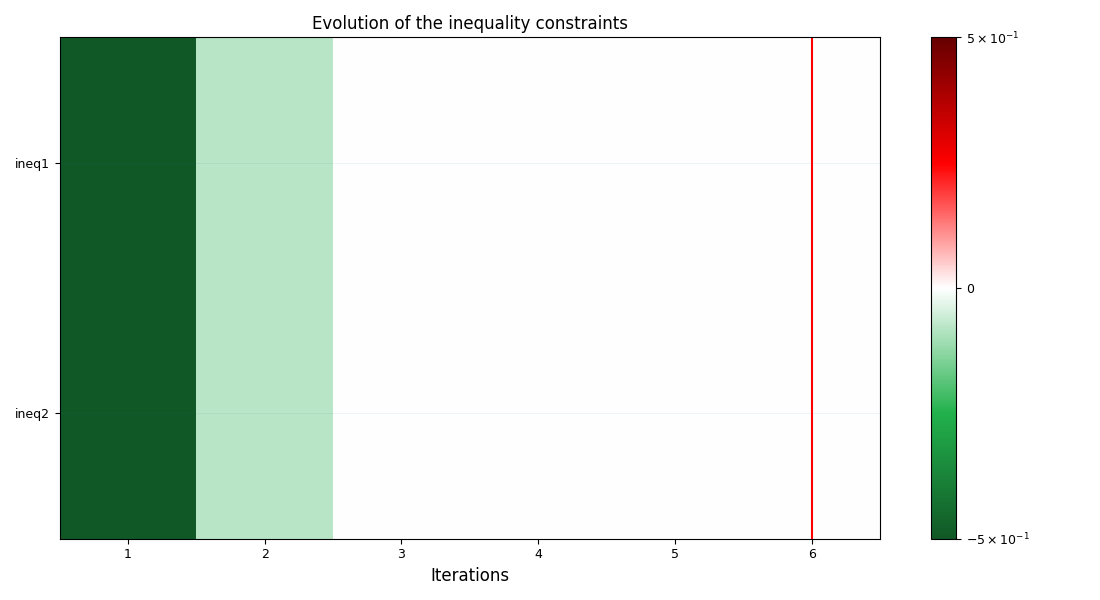
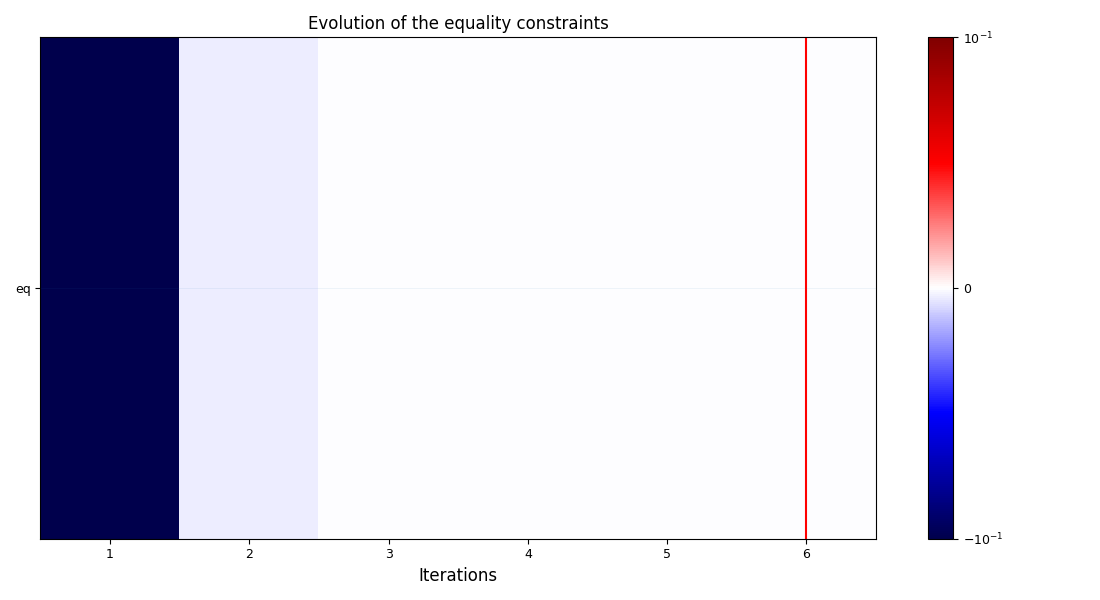
<gemseo.post.opt_history_view.OptHistoryView object at 0x72a4d5cbfa70>
Warning
The post-processing algorithm GradientSensitivity, has the option to compute
missing gradients. It is not possible to use an OptimizationDataset with that option.
Total running time of the script: (0 minutes 0.916 seconds)